Early access is open
Every camera you own.
One command center.
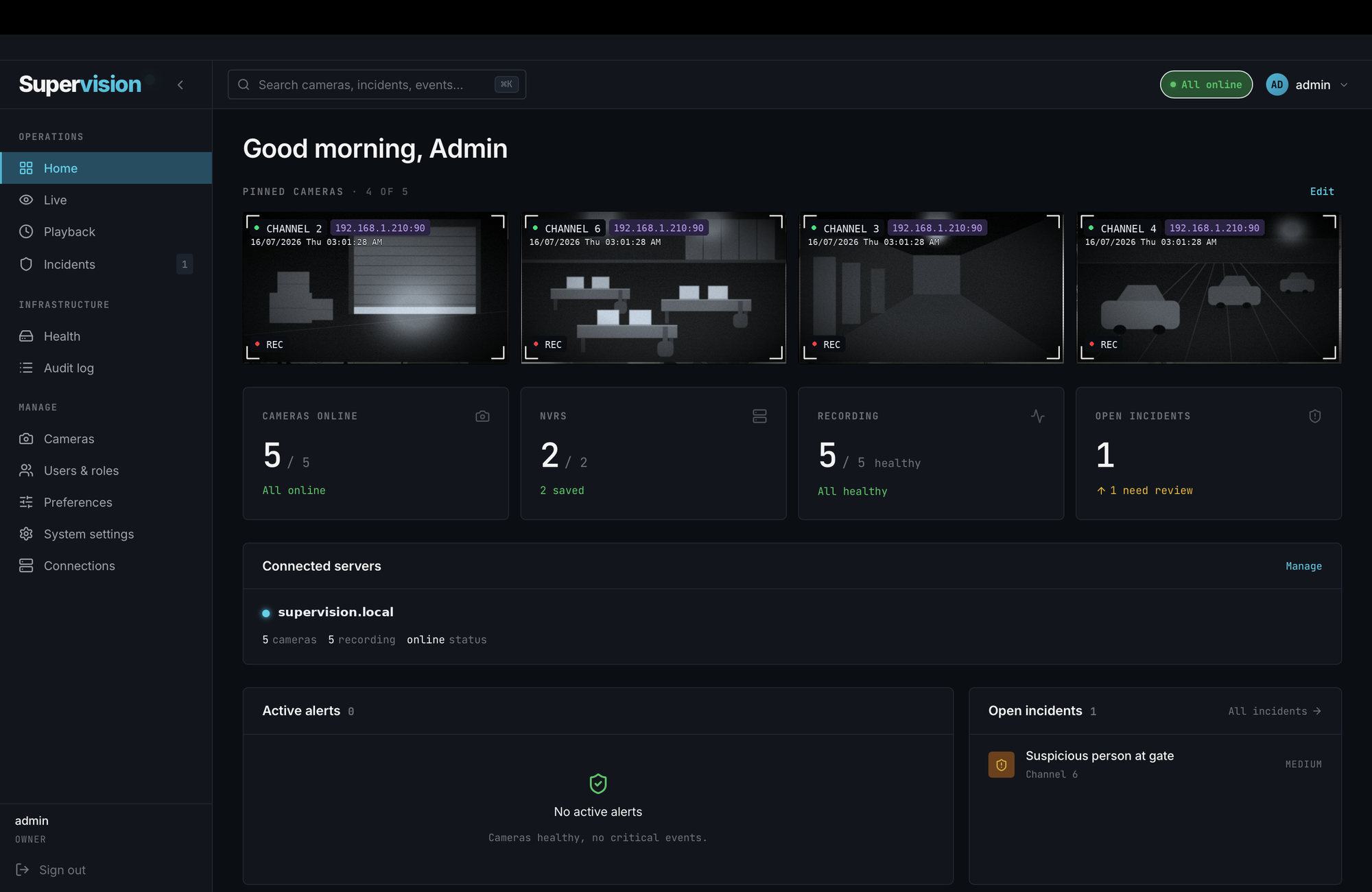
Supervision is a self hosted video management system. It finds the cameras already on your network, streams them live, records around the clock, and keeps every frame on hardware you control.
No cloud account. No monthly fee. Your footage never leaves your building.
Works with the cameras and NVRs you already have
Plus anything that speaks ONVIF, the open standard nearly every IP camera supports.
Camera discovery
It finds your cameras. You don't hunt for IP addresses.
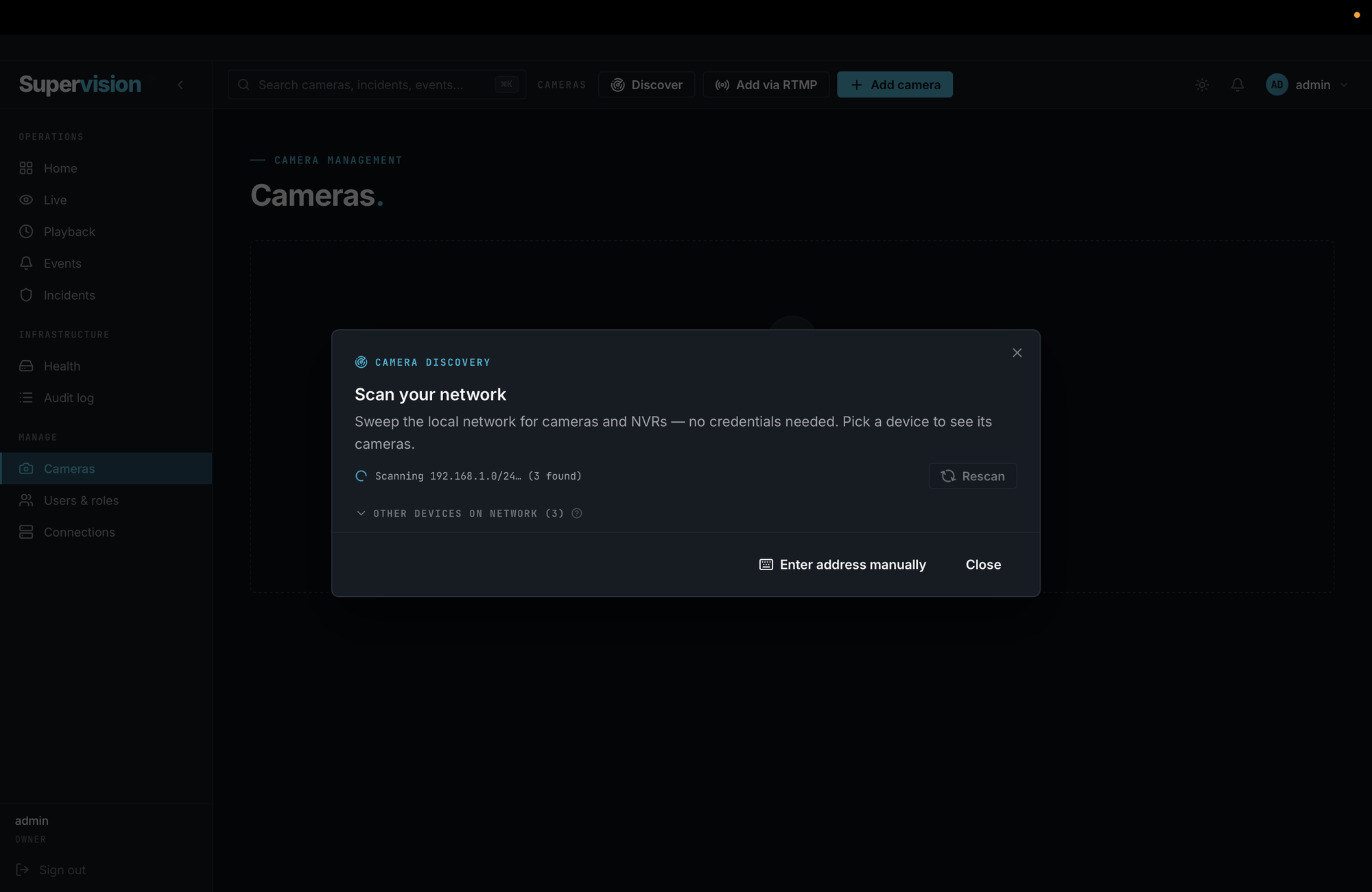
Point Supervision at your network and it sweeps the subnet for cameras and NVRs — no credentials needed just to find them. When you're ready to bring a device online, enter its username and password once: Supervision authenticates over ONVIF, Hikvision ISAPI, or raw RTSP, pulls in every channel, and verifies a working stream before anything is saved. What used to be an afternoon with vendor manuals becomes a two minute scan.
- Full subnet sweep identifies every camera and NVR, with vendor and channel count — no login required to discover
- Enter a device's credentials once and pull in all of its channels at once, main and substream both detected
- Fallback probes for cameras that hide behind odd ports or disabled ONVIF
- Manual address entry for the stubborn ones, with the stream verified before saving
- Saved NVR profiles so bringing the next device online is quicker
 img/discovery.png
Sweeping 192.168.1.0/24 · discovery needs no credentials
Live viewing
Layouts you design once, streams that hold steady
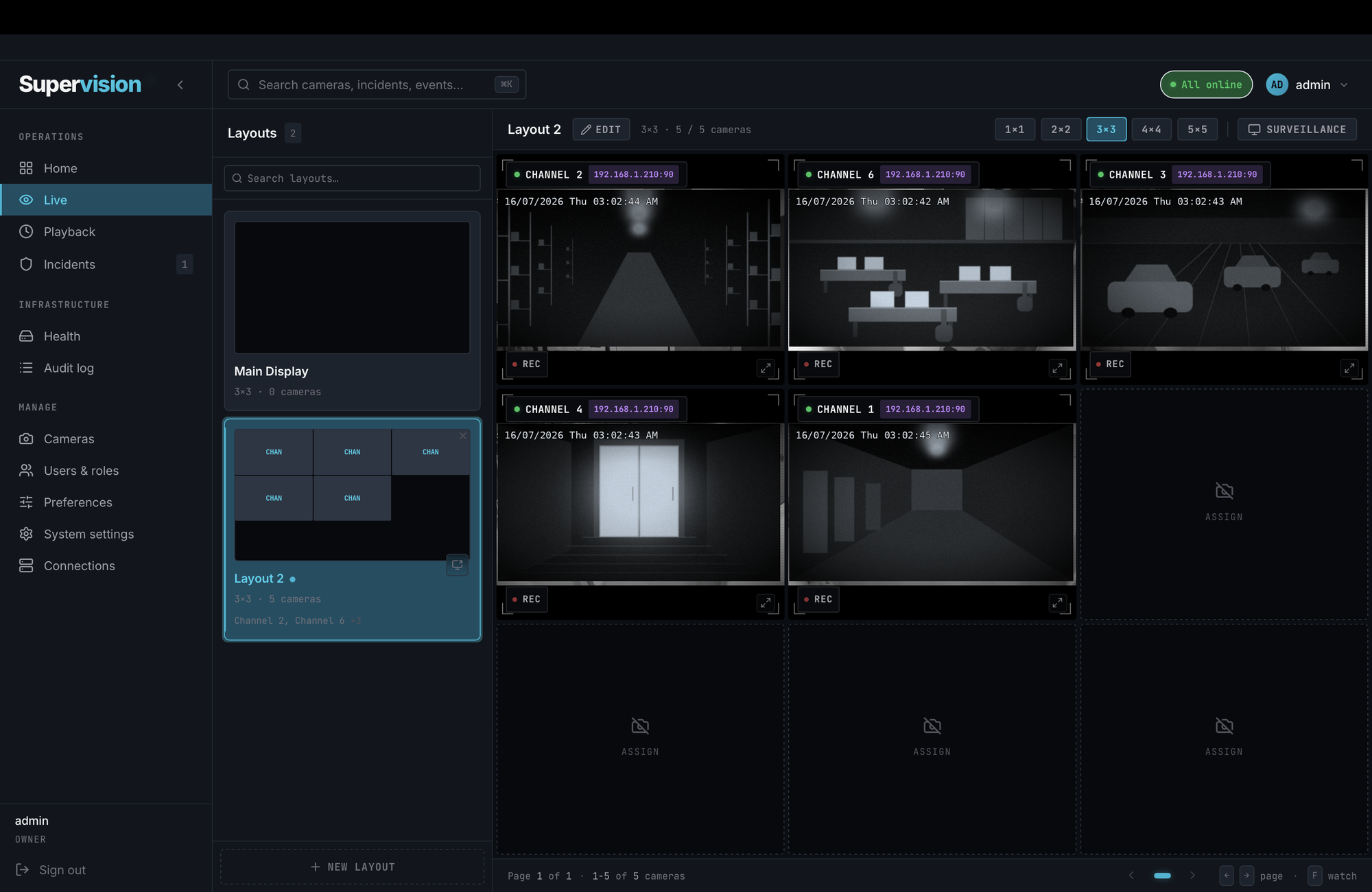
Build named layouts from 1×1 to 5×5, assign any camera to any tile, and switch between them instantly. Under the surface, live video runs on WebRTC for sub second latency and falls back to HLS on its own when the network calls for it. Streams heal in place after a blip instead of tearing down, and they survive page changes and even server restarts.
 img/live.png
Surveillance mode
One toggle turns any screen into a control room
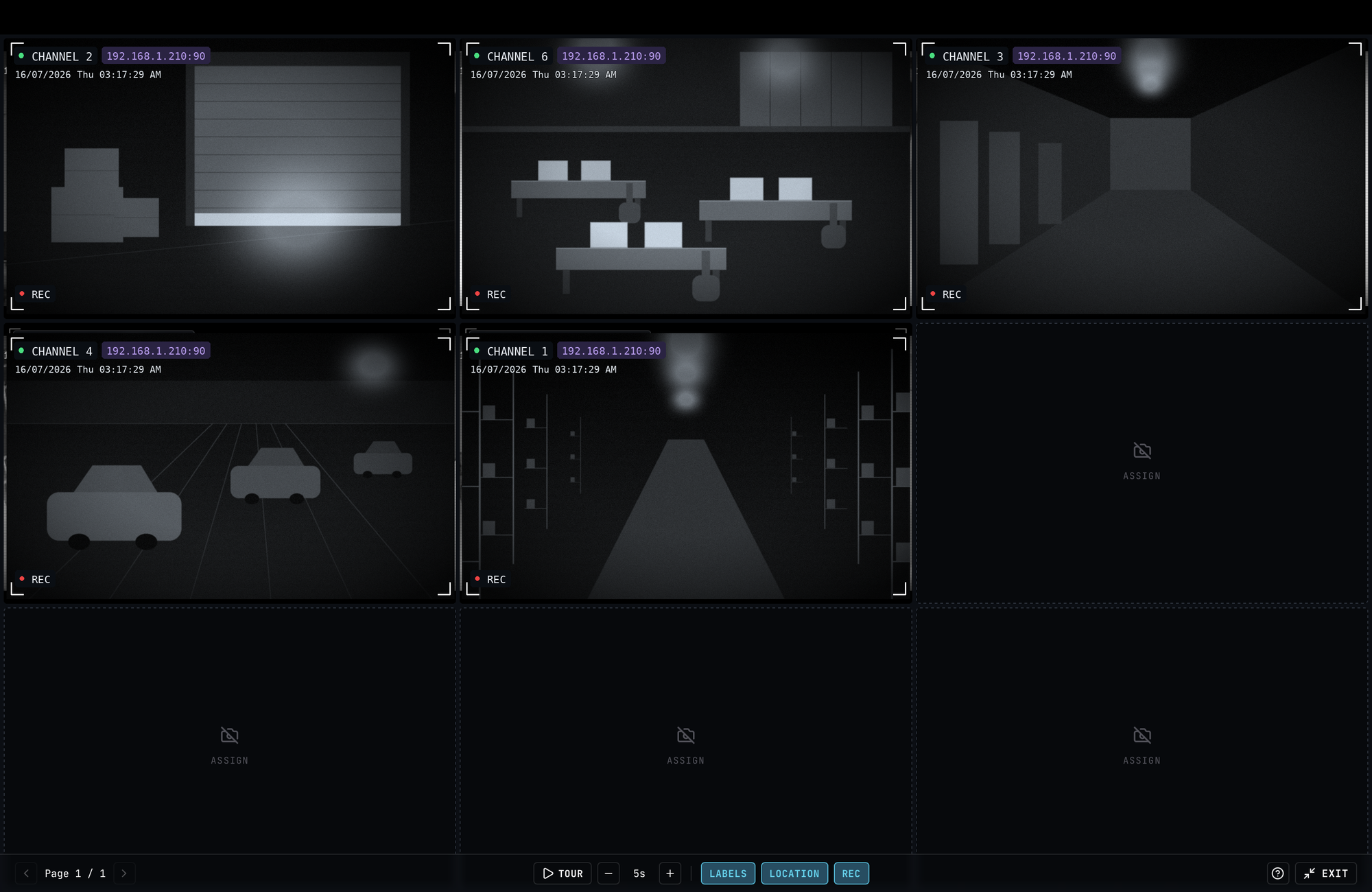
Hit Surveillance in the live view and the interface gets out of the way: true fullscreen, no window chrome, just cameras. It's built for the monitor on the wall and the person whose job is to watch it.
 img/surveillance.png
Tour mode
Rotates through every page of cameras automatically, on an interval you set. Five seconds or five minutes, the wall keeps moving without a hand on the mouse.
Overlays you control
Toggle camera labels, site locations, and recording badges independently. A clean wall for the lobby screen, a fully annotated one for the operator.
More cameras than tiles
When cameras outnumber the grid, surveillance mode pages through them, manually or on tour. Twenty cameras on a 3×3 wall is three pages, not a compromise.
Recording & playback
Rewind the whole building, in sync
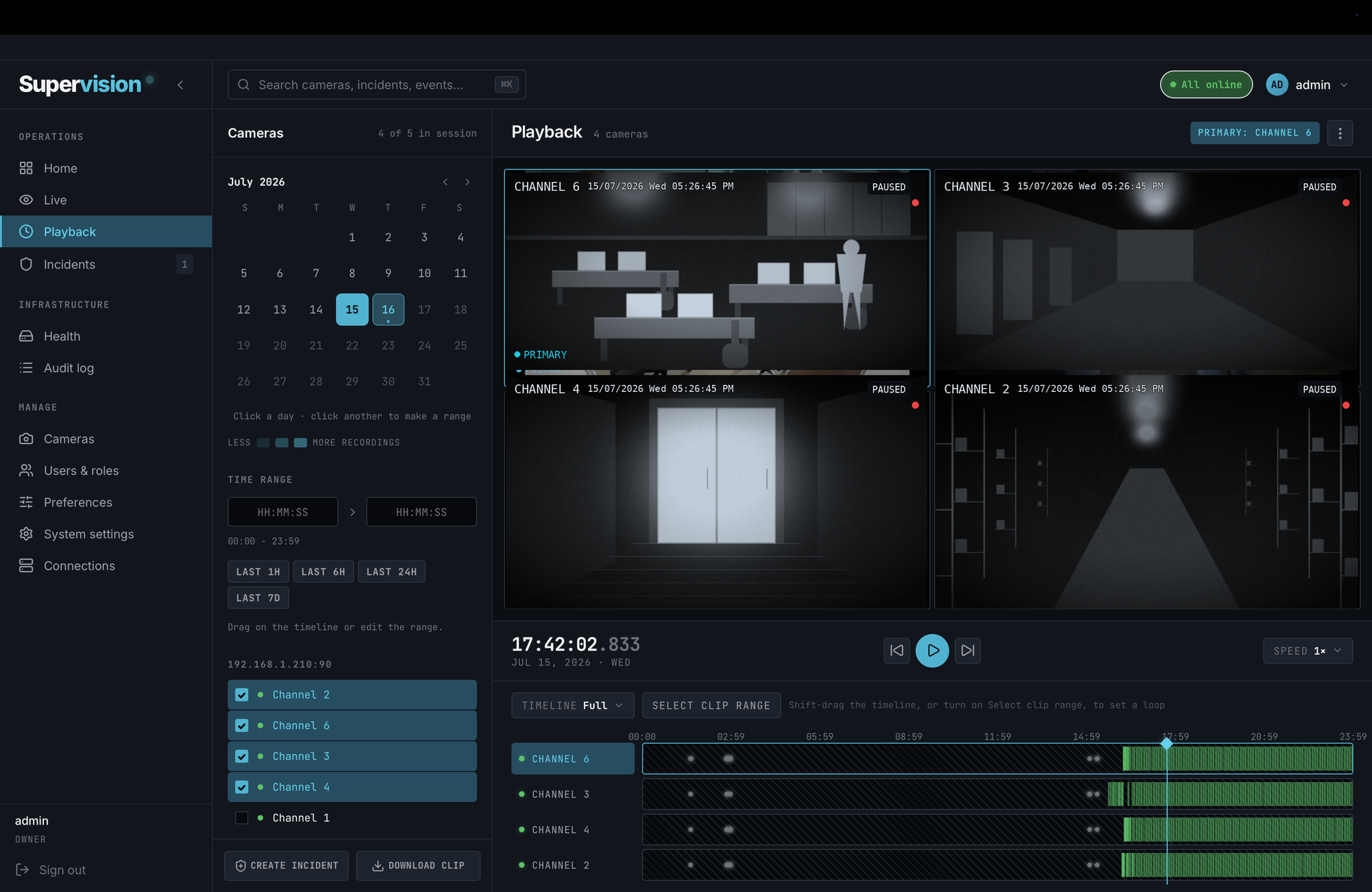
Recording starts the moment a camera is added and never asks for attention again: footage lands in the camera's native codec with no re-encoding, so modest hardware keeps up, and retention rules clear old footage on their own. When something needs reviewing, playback is built for reconstruction, with every angle locked to one clock and one timeline.
 img/playback.png
A calendar that knows your footage
Days shade by how much was recorded, so gaps stand out at a glance. Click a day, or click two to review a range.
Synced multi camera review
Pick the cameras that saw it and watch them against the same clock, one set as primary. Scrub once and every angle follows, at speeds from careful to quick.
Timelines that show the truth
Each channel gets its own strip of recorded segments. Drag across any of them to select a clip range and loop it.
Act on what you find
Two buttons live next to the timeline: download the clip as a standard MP4, or open an incident right at that moment.
Incidents & evidence
From "something happened" to a file you can hand over
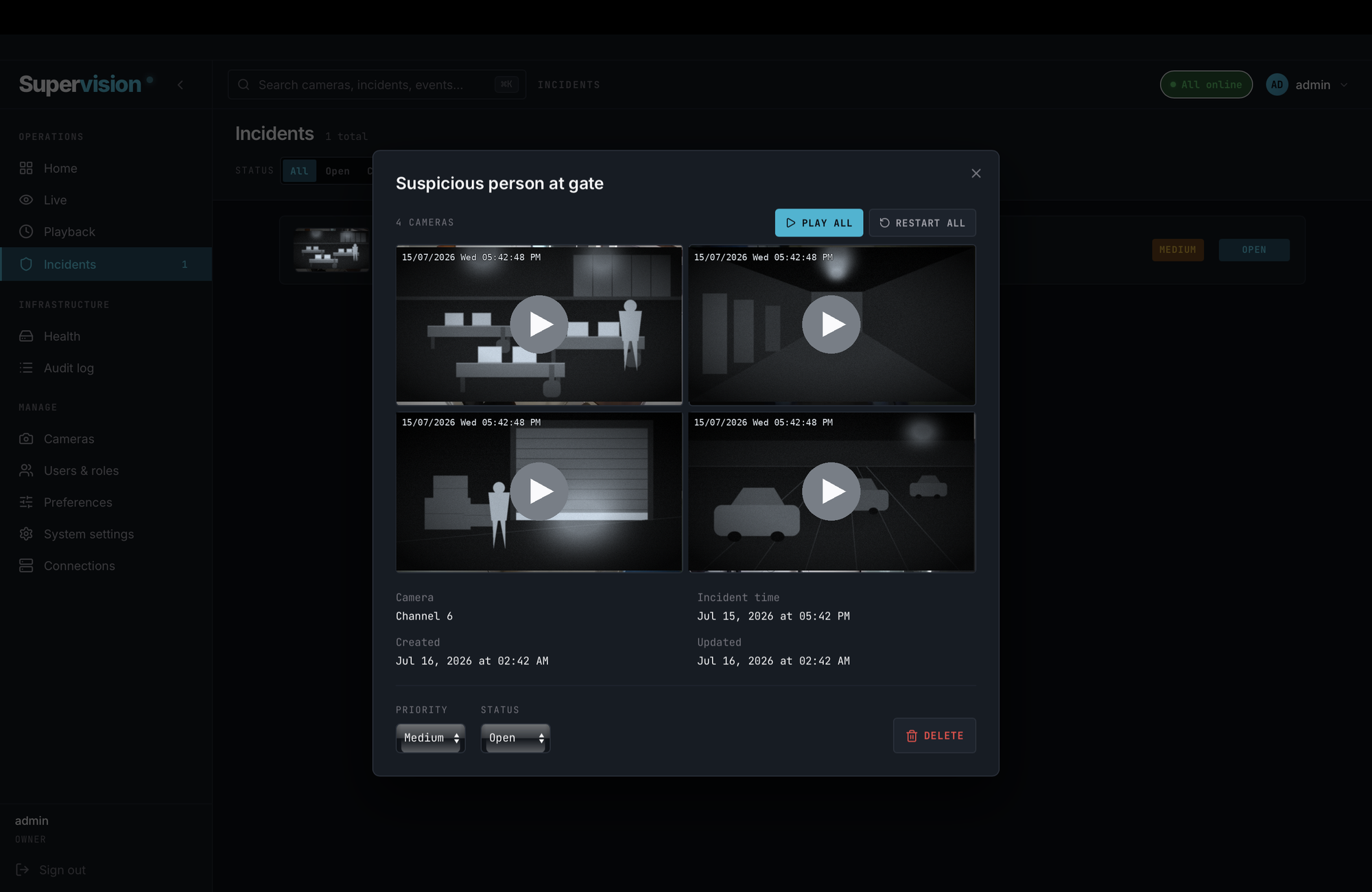
Spot something in playback and flag it without leaving the timeline. Supervision opens an incident with a title, priority, and clips from every camera you attach, each with its own captured still. The incident then moves through a real lifecycle, from open to in review to resolved, so nothing gets flagged and forgotten.
- Created straight from the playback timeline, at the exact moment
- Attach multiple cameras; each gets its own clip, playable side by side
- Priorities and statuses keep the queue honest: open, in review, resolved, closed
- Export the time range as a standard MP4, or several cameras as one ZIP
- Exports stream to you and leave no copy behind on the server
 img/incidents.png
highin reviewresolved the lifecycle at a glance
Health, roles & audit
Run it like infrastructure, because it is
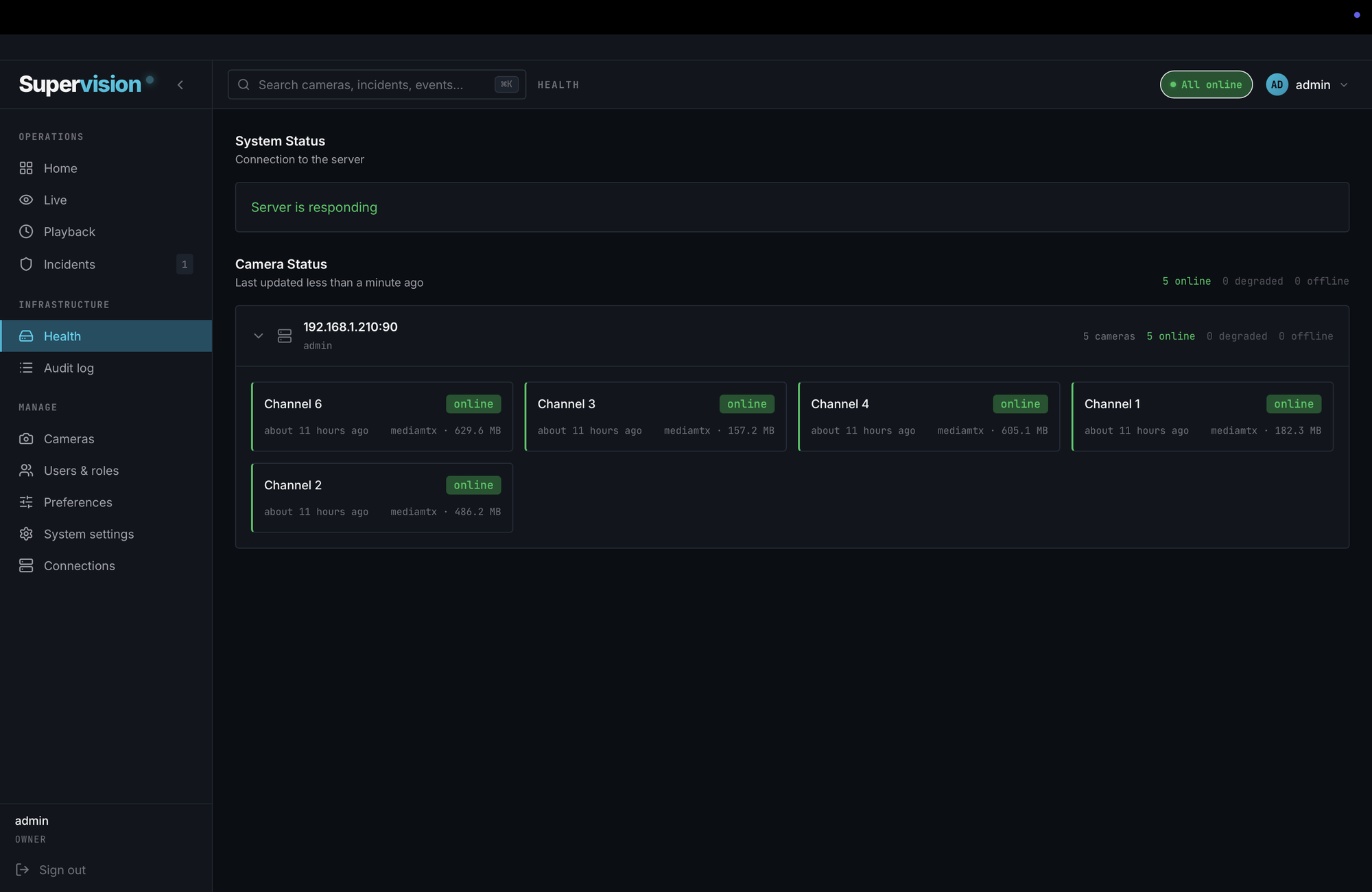
Every camera is health checked every ten seconds, with per camera storage visible at a glance. One server runs your whole fleet, and you connect to it from every machine that needs to watch. The people side is just as deliberate: four roles from owner to viewer, so the night manager can watch without being able to delete, and an audit log that records every change anyone makes.
- Live health per camera: online, degraded, or offline, with the reason
- Storage used per camera, so a runaway disk never surprises you
- Owner, admin, manager, viewer: permissions that match real teams
- Audit log covers camera changes, exports, PTZ moves, and user management
- Connect the desktop app from every machine on your network to the one server running the show
 img/health.png
5 online · 0 degraded · 0 offline · checked every 10 seconds
Under the hood
Boring infrastructure choices, made carefully
The parts you never see are the reason the parts you do see keep working. No exotic dependencies, no fragile moving pieces, nothing to babysit.
One binary
The server ships as a single Go binary with the media engine embedded inside it. Installing means unpacking a tarball and running one script. Upgrading means replacing one file.
Every protocol out
Each camera is simultaneously available over WebRTC, HLS, RTSP, RTMP, SRT, and MJPEG. Point VLC, OBS, or a broadcast encoder at your server and it simply works.
Hardware acceleration
Transcoding only engages for the cameras that need it, and rides NVIDIA, Intel, AMD, Apple, or Raspberry Pi silicon when it's there. Capable machines transcode nothing at all.
Native desktop client
A real application, not a browser tab. Roughly 10 MB, opens in a second, pins your server's certificate on first use, and keeps credentials in the OS keychain.
SQLite storage
Cameras, users, incidents, events, and settings all live in one embedded database. Backing up your entire system is copying a folder. Restoring it is copying it back.
Scoped stream tokens
Video is never served off your login session. Each stream uses its own short lived, per camera token, so media access stays narrow even inside your own network.
 img/signin.png
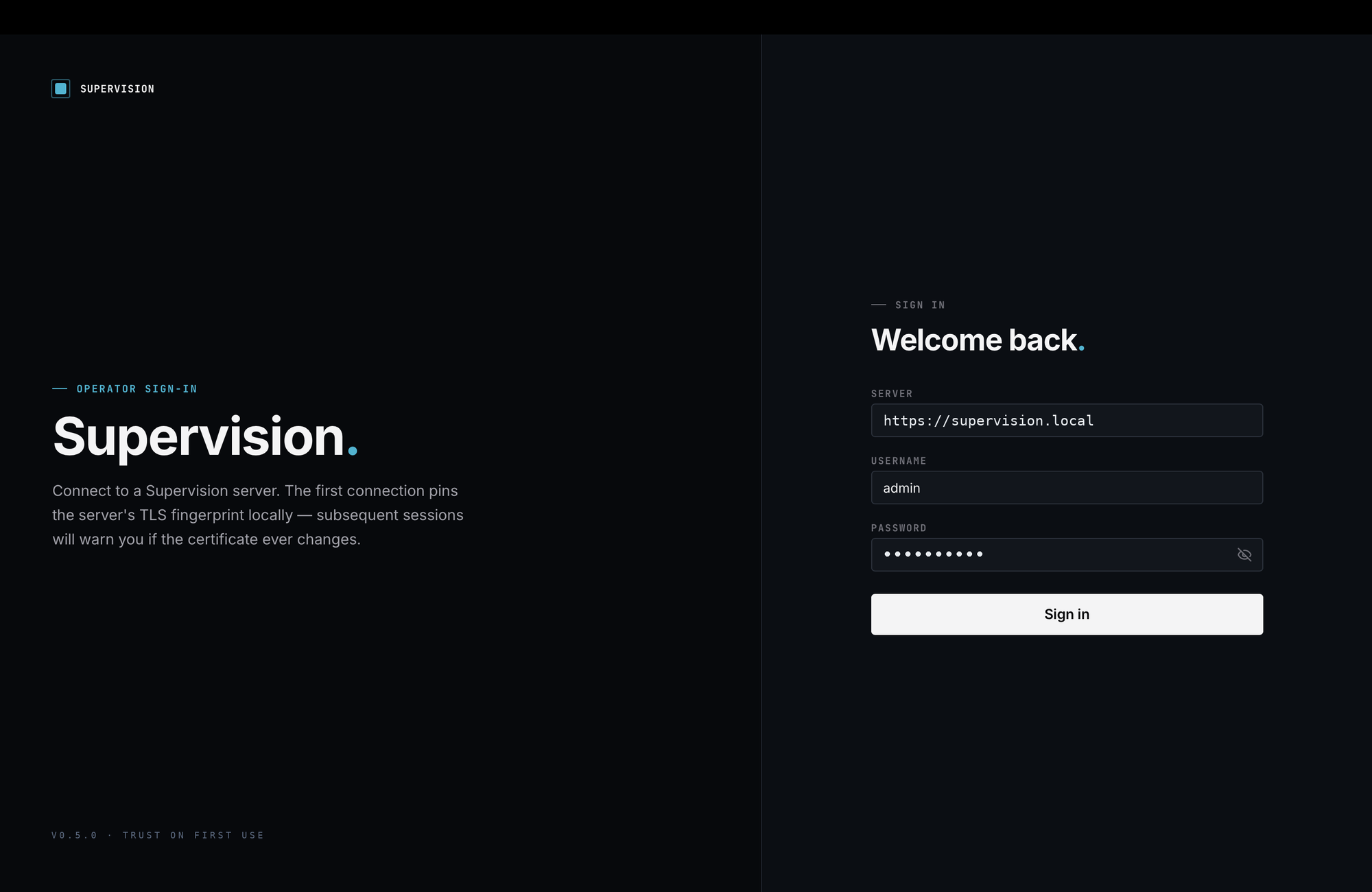
The first connection pins the server's TLS fingerprint. Trust on first use, a warning ever after if it changes.
Platforms
Runs where you already are
Desktop app
- macOS 12+ · Intel & Apple Silicon.dmg
- Windows 10 / 11.msi · .exe
Mobile
- iOScoming soon
- Androidcoming soon
Today Supervision runs as a native desktop app on macOS and Windows. Mobile apps for iOS and Android are coming soon. The self-hosted server that does the recording is distributed separately — talk to us and we'll get you set up.
Early access
Get Supervision
Supervision is rolling out to a small group of early users. Create an account and the downloads are yours, along with every update as it ships.
- Desktop apps for macOS and Windows, direct download
- No credit card, no subscription
- A direct line to the team building it